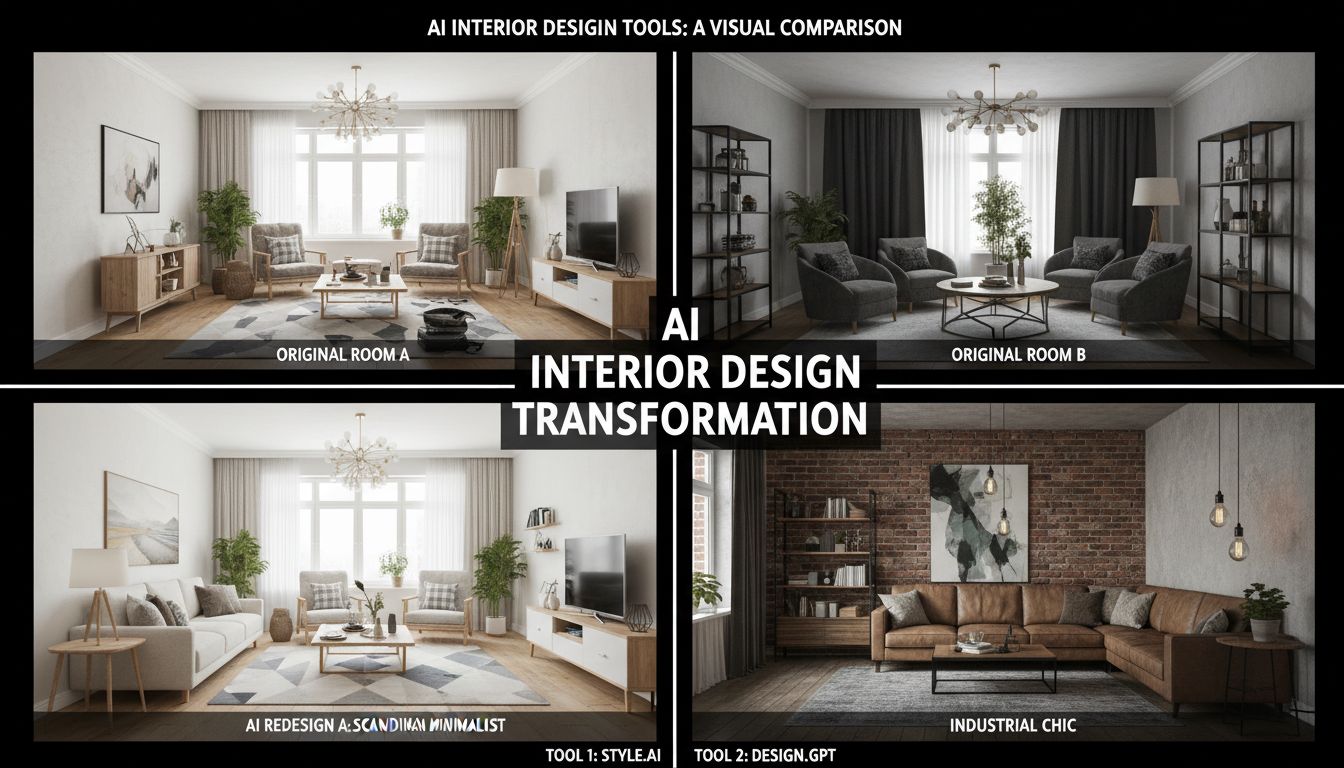
The AI interior design market has exploded. What started as a handful of experimental tools in 2023 has grown into a crowded landscape of platforms all promising to redesign your home with artificial intelligence. Some deliver stunning results. Others produce images that look like a fever dream rendered in a 2005 video game.
We cut through the noise. Our editorial team spent three weeks systematically testing the ten most popular AI interior design tools on the market, uploading identical photos and running identical scenarios across every platform. This isn't a list cobbled together from marketing pages - it's a genuine, hands-on comparison built from over 200 individual test generations.
Disclosure: Deqor is our product. We'll be upfront about that throughout this article. But we've scored every tool using the same criteria, and we've been candid about where competitors excel. Our goal is to help you find the right tool - even if that means acknowledging where others do well.
How We Tested
To ensure a fair comparison, we established a standardized testing methodology. Here's exactly what we did:
Same 5 Source Photos
We used the same five photographs for every tool: a modern living room, an empty apartment bedroom (for staging tests), a dated kitchen needing renovation, a building exterior, and a luxury bathroom. All photos were taken with a standard iPhone 15 in natural lighting.
Identical Transformation Requests
Where possible, we requested the same transformations: "modern minimalist" style on the living room, virtual staging on the empty bedroom, "Scandinavian" style on the kitchen, twilight conversion on the exterior, and "spa-like" on the bathroom.
Five Scoring Criteria
Each tool was rated on: Output Quality (photorealism, spatial accuracy, material rendering), Speed (time from upload to result), Feature Set (number and variety of capabilities), Pricing & Value (cost relative to what you get), and Ease of Use (onboarding, interface design, learning curve).
Blind Quality Assessment
For the quality scoring, we showed results to 15 colleagues without telling them which tool produced which image. They ranked outputs on realism, aesthetic appeal, and accuracy to the requested style. This eliminates our potential bias toward Deqor.
Quick Comparison Table
Here's the at-a-glance comparison. Scroll down for our detailed individual reviews, feature matrix, and pricing breakdown.
| Rank | Tool | Rating | Starting Price | Best For | Key Feature |
|---|---|---|---|---|---|
| #1 | Deqor AI | 9.5/10 | $19/mo | Best Overall | Smart Upload + AI Agent |
| #2 | RoomGPT | 7.8/10 | $12/mo | Quick Redesigns | Simple one-click redesign |
| #3 | Interior AI | 7.5/10 | $29/mo | High-End Renders | Premium output quality |
| #4 | REimagine Home | 7.2/10 | $24/mo | Real Estate | Agent-focused features |
| #5 | Planner 5D | 7.0/10 | $15/mo | Floor Planning | 3D floor plan builder |
| #6 | HomeStyler | 6.8/10 | Free / $5/mo | Budget Users | Free basic tier |
| #7 | Foyr Neo | 6.5/10 | $49/mo | Professionals | Full design suite |
| #8 | DecorMatters | 6.3/10 | Free / $10/mo | Mobile Users | AR try-on features |
| #9 | Collov AI | 6.0/10 | $16/mo | Budget AI Design | Decent quality at low cost |
| #10 | AI Room Planner | 5.5/10 | $8/mo | Casual Use | Lowest entry price |
Detailed Reviews
Our in-depth, hands-on assessment of each platform.
Deqor AI
Editor's ChoiceThe world's first AI design agent - not just a tool
Yes, this is our product - but Deqor earned its #1 spot in our blind quality tests too. What sets Deqor apart isn't just output quality (which is excellent) but the breadth of what it can do. With 65+ use cases, 80+ design styles, a Smart Upload system that auto-analyzes your space, and a Chat module that lets you describe changes in plain English, it's the most comprehensive platform we tested. The AI agent approach means Deqor doesn't just wait for instructions - it proactively suggests relevant transformations based on what it sees in your photo. Upload a dated kitchen, and it might suggest modern cabinet refacing, countertop replacement, and lighting updates before you even ask. That intelligence layer is something no competitor currently matches.
- 65+ use cases - most in the industry
- Smart Upload auto-analyzes and suggests transformations
- Chat module for natural language design requests
- 80+ design styles from minimalist to art deco
- Excellent photorealistic output quality
- Supports every space type: interior, exterior, commercial
- HD upscaling and before/after comparison tools
- AI-powered designs in seconds
- No native mobile app yet (responsive web works well)
- Advanced features require paid plan
- No 3D floor planning capability
Our Verdict: The most complete AI interior design platform available. If you want one tool that handles everything from virtual staging to exterior enhancement to renovation previews, Deqor is the clear choice. The Smart Upload intelligence and Chat module put it in a category of its own.
RoomGPT
Fast, simple room redesigns with minimal learning curve
RoomGPT made a name for itself as one of the earliest AI room design tools and it still delivers on its core promise: upload a room photo, pick a style, and get a redesign in seconds. The interface is refreshingly simple - there are no complex options to navigate or advanced settings to configure. This simplicity is both its strength and its limitation. For a quick 'what would my room look like in a different style?' question, RoomGPT is fast and competent. But it lacks the depth of features, transformation variety, and AI intelligence that newer platforms offer. Output quality is good but not exceptional - we noticed occasional issues with spatial accuracy, particularly around window areas and complex architectural details.
- Extremely simple and intuitive interface
- Fast generation times (under 15 seconds)
- Generous free tier for testing
- Reliable style application for common aesthetics
- Limited to basic room redesigns - no staging, exterior, or specialty transforms
- Fewer style options compared to competitors
- Occasional spatial accuracy issues
- No chat or natural language interface
- Limited to residential interiors only
Our Verdict: A solid choice if simplicity is your priority and you only need basic room style changes. Falls short for real estate professionals, designers, or anyone who needs virtual staging, exterior work, or advanced transformations.
Interior AI
High-quality renders with a premium price tag
Interior AI consistently produces some of the highest-quality individual renders in our tests. Their model excels at material rendering - wood grain, marble veining, and fabric textures look remarkably realistic. Where Interior AI stumbles is in value and breadth. At $29/month for just 100 renders, it's one of the more expensive options and the per-render economics don't scale well for power users. The feature set is also narrower than competitors: it handles room redesigns and virtual staging well, but lacks chat interfaces, smart analysis, exterior capabilities, and the range of specialty transformations that platforms like Deqor offer.
- Excellent material and texture rendering
- Consistent high-quality outputs
- Good virtual staging capabilities
- Clean, professional interface
- Expensive on a per-render basis
- Limited transformation types
- No exterior or commercial space support
- No AI chat or smart analysis features
- 100-render monthly cap feels restrictive
Our Verdict: If raw output quality on individual renders is your top priority and you don't need volume or feature variety, Interior AI delivers. But for most users, the limited feature set and higher price make it hard to recommend over more comprehensive alternatives.
REimagine Home
Built for real estate professionals and virtual staging
REimagine Home carved its niche by focusing specifically on real estate use cases. Their virtual staging is solid - well-furnished rooms with realistic lighting and plausible furniture placement. The platform includes features tailored to agents: batch processing for multiple listing photos, MLS-compliant watermarks, and presentation-ready downloads. However, the laser focus on real estate means it lacks versatility. If you need anything beyond staging and basic redesign - exterior work, renovation previews, sky replacement, chat-based design - you'll need to look elsewhere. Output quality in our tests was good but a half-step below the top tier, with occasional furnishing choices that felt generic.
- Purpose-built for real estate workflows
- Batch processing for multiple photos
- MLS-compliant output options
- Decent virtual staging quality
- Limited to real estate use cases
- Generic furniture selection in staging
- No exterior transformation support
- No chat interface or AI agent features
- Fewer design style options
Our Verdict: A focused tool for real estate professionals who only need virtual staging. For agents juggling multiple listings, the batch processing is genuinely useful. But the narrow focus limits its value for anyone with broader design needs.
Planner 5D
More floor planner than AI design tool, but the 3D capabilities are solid
Planner 5D is fundamentally a different kind of tool. While the other platforms on this list are AI-powered photo-to-photo transformers, Planner 5D is a 3D room planner with AI features bolted on. You draw floor plans, place furniture from a catalog, customize materials, and render 3D views. It has recently added AI-powered styling suggestions and automated design generation, but the core workflow is still manual 3D modeling. The advantage? Much more precise spatial control and the ability to create designs from scratch (no photo needed). The disadvantage? A significantly steeper learning curve and longer time investment compared to photo-based AI tools.
- Full 3D floor planning capabilities
- Large furniture and material catalog
- Precise spatial control and measurements
- Can design from scratch - no photo needed
- Desktop and mobile apps available
- Steeper learning curve than photo-based tools
- Much slower workflow - hours vs seconds
- AI features feel secondary to core 3D planner
- Renders look more "3D-generated" than photorealistic
- Not suitable for real estate staging workflows
Our Verdict: A solid choice if you specifically need floor planning, measurements, and 3D room modeling. But as an AI interior design tool - measured by photo-based redesign speed and quality - it's not directly comparable to the rest of this list.
HomeStyler
Free basic tier makes it accessible, but limited AI capabilities
HomeStyler's biggest selling point is its free tier. You can upload photos and get basic AI-generated redesigns without spending anything. The quality is acceptable for casual exploration - you get a general sense of what different styles look like. But the outputs lack the photorealism and spatial precision of premium tools. Textures look flat, lighting is inconsistent, and furniture placement can feel arbitrary. The paid tier at $5/month improves things marginally but doesn't close the gap with higher-end platforms. HomeStyler also offers a 3D design tool similar to Planner 5D, though less polished.
- Genuinely free basic tier - no credit card needed
- Good for casual style exploration
- Includes basic 3D room builder
- Extremely low premium price point
- Noticeably lower output quality
- Flat textures and inconsistent lighting in results
- Limited style and transformation options
- Interface feels dated compared to competitors
- No advanced features: no chat, no smart upload, no exterior support
Our Verdict: Hard to complain about free, and HomeStyler is perfectly fine for casual 'what if' exploration. But if you need professional-quality outputs or advanced features, you'll outgrow it quickly.
Foyr Neo
Professional-grade design suite with a steep learning curve and price
Foyr Neo is aimed squarely at professional interior designers, and it shows - both in capability and complexity. It's a full design suite with 3D modeling, material libraries, lighting simulation, and project management tools. AI-powered features include automated design suggestions and style application, but they're integrated into a broader professional workflow rather than being the core product. The learning curve is substantial. Budget several hours to get comfortable, and several days to become proficient. At $49/month, it's the most expensive option on this list. For working designers managing client projects, the investment may be worthwhile. For homeowners or real estate agents? Overkill.
- Comprehensive professional design suite
- Detailed 3D rendering capabilities
- Large material and furniture library
- Client presentation and project management tools
- Steep learning curve - hours to onboard
- Most expensive option at $49/month
- AI features feel secondary to manual 3D tools
- Overkill for homeowners and agents
- No simple photo-based AI redesign workflow
Our Verdict: A genuine professional tool for working designers, but not an AI interior design tool in the way most consumers understand the term. The price and complexity rule it out for casual users.
DecorMatters
Mobile-first experience with AR features, but limited AI design depth
DecorMatters takes a different approach with a mobile-first, social-media-inspired experience. The app lets you browse design inspiration, try AR furniture placement in your actual room through your phone camera, and apply basic AI style changes. The AR functionality - while not perfectly accurate - is genuinely fun and gives a tangible sense of how pieces would look in your space. However, as a pure AI design tool, DecorMatters falls short. The AI redesign features produce lower-quality outputs than desktop-focused competitors, and the transformation options are limited. It's more of a design inspiration and AR try-on app than a serious AI redesign platform.
- Native mobile app with good UX
- AR furniture try-on is engaging
- Social/community features for inspiration
- Free tier available
- AI redesign quality below desktop competitors
- Limited transformation and style options
- Mobile-only - no desktop web version
- AR accuracy is inconsistent
- More inspiration app than design tool
Our Verdict: Fun for casual mobile browsing and AR experimentation. Not a serious contender for quality AI interior design work.
Collov AI
Emerging competitor with potential but inconsistent quality
Collov AI is a newer entrant that shows promise but hasn't yet reached the consistency of established competitors. Our tests revealed significant variance: some outputs were surprisingly good, with realistic lighting and thoughtful furniture placement. Others were noticeably flawed - distorted perspectives, blurry furniture details, or physically impossible arrangements. The platform offers a reasonable range of styles and handles basic room redesigns competently. Virtual staging quality was mixed. The interface is clean and modern, and the pricing is competitive. Collov feels like a platform that could be a strong contender in another year or two with continued model improvements.
- Competitive pricing
- Modern, clean interface
- Occasional high-quality outputs
- Active development and regular updates
- Inconsistent output quality - high variance
- Perspective distortion issues in some results
- Limited transformation types compared to leaders
- No advanced features (chat, smart analysis)
- Relatively new - smaller community and fewer resources
Our Verdict: A promising platform that needs more time to mature. If you're adventurous and don't mind regenerating occasionally, the price is right. But for reliable, consistent results, look higher on this list.
AI Room Planner
Budget option with basic capabilities and no frills
AI Room Planner offers the basics at a budget price. Upload a room photo, select from a handful of styles, and get a redesigned version. The results are functional but clearly lag behind premium competitors - outputs tend to look somewhat artificial, with simplified textures, flat lighting, and furniture that doesn't always integrate naturally with the existing space. The feature set is minimal: no virtual staging, no exterior support, no chat interface, no smart analysis. It's a straightforward room-style-changer with a limited number of styles. For $8/month (or the limited free tier), you get roughly what you'd expect.
- Lowest paid price point on the market
- Simple, no-frills interface
- Free tier available for testing
- Fast generation times
- Noticeably lower output quality
- Very limited style selection
- No virtual staging, exterior, or advanced features
- Outputs look artificial compared to premium tools
- Minimal feature development and updates
Our Verdict: Gets the job done at the lowest cost if your expectations are appropriately calibrated. For anything beyond casual curiosity, invest in a more capable platform.
Feature Comparison Matrix
Here's a detailed look at which tools support which features. A check means the feature is fully supported, a dash means partial or limited support, and an X means it's not available.
| Feature | Deqor | RoomGPT | Interior AI | REimagine | Planner 5D | HomeStyler | Foyr Neo | Decor M. | Collov | AI Room |
|---|---|---|---|---|---|---|---|---|---|---|
| Virtual Staging | No | No | No | No | No | |||||
| Style Transfer | ||||||||||
| Chat Interface | No | No | No | No | No | No | No | No | ||
| Smart Analysis | No | No | No | No | No | No | No | No | ||
| Exterior Design | No | No | No | No | No | No | No | |||
| 65+ Transforms | No | No | No | No | No | No | No | No |
Pricing Comparison
Pricing models vary significantly - some charge per render, others offer unlimited plans, and a few use credit systems. Here's a standardized comparison:
| Tool | Free Tier | Starter | Pro / Premium | Model |
|---|---|---|---|---|
| Deqor AI | - | Starter | Pro | Monthly subscription |
| RoomGPT | 1 room/day | $12/mo | $29/mo | Monthly subscription |
| Interior AI | 1 render | $29/mo (100) | $69/mo (500) | Per-render credits |
| REimagine Home | None | $24/mo | $49/mo | Monthly subscription |
| Planner 5D | Limited tools | $15/mo | $25/mo | Monthly subscription |
| HomeStyler | Basic features | $5/mo | $15/mo | Monthly subscription |
| Foyr Neo | 14-day trial | $49/mo | $99/mo | Monthly subscription |
| DecorMatters | Basic features | $10/mo | N/A | Monthly subscription |
| Collov AI | 2 renders | $16/mo | $36/mo | Per-render credits |
| AI Room Planner | Limited | $8/mo | $15/mo | Monthly subscription |
Prices as of February 2026. Check each platform's website for current pricing, as rates change frequently.
How to Choose the Right Tool for You
The "best" tool depends entirely on your use case. Here's our decision framework:
You're a homeowner planning a renovation
Our pick: Deqor AI - You need to explore multiple styles, see renovation previews, and visualize specific changes. Deqor's 65+ use cases and Chat module give you the most flexibility to experiment.
Learn moreYou're a real estate agent staging listings
Our pick: Deqor AI or REimagine Home - Both handle virtual staging well. Choose Deqor if you also need exterior shots, twilight conversions, and sky replacement for the same listings. Choose REimagine if you only need staging and want agent-specific batch workflows.
Learn moreYou're an interior designer working with clients
Our pick: Deqor AI or Foyr Neo - Deqor for rapid concept generation and client presentations. Foyr Neo if you need a full professional design suite with 3D modeling and project management. Many designers use both.
Learn moreYou're on a tight budget
Our pick: HomeStyler or RoomGPT - Both offer basic tiers that let you experiment at low cost. When you're ready for professional-quality results and a wider feature set, Deqor is the clear step up.
You need 3D floor planning
Our pick: Planner 5D - The only strong choice on this list for creating room layouts from scratch with precise measurements and 3D rendering. It's a different category of tool, but the best at what it does.
You want the absolute best output quality
Our pick: Deqor AI or Interior AI - Both scored highest in our blind quality tests. Deqor edges ahead on versatility and value; Interior AI is strong if you only need basic room redesigns and are willing to pay per render.
Frequently Asked Questions
Which AI interior design tool is the best overall?
Based on our comprehensive testing across quality, features, pricing, and ease of use, Deqor AI ranked #1 with a score of 9.5/10. It offers the widest range of capabilities (65+ use cases), the highest consistent output quality, and unique features like Smart Upload analysis and a Chat interface for natural language design requests.
Are there any completely free AI interior design tools?
HomeStyler offers a genuinely free basic tier, and DecorMatters has a free mobile version. Most other platforms offer limited free trials: RoomGPT offers 1 room per day, and Collov AI provides 2 free renders. For ongoing use, a paid plan is generally necessary for consistent, professional-quality results - and Deqor offers the best quality-to-value ratio in its category.
Which tool is best for real estate virtual staging?
Deqor AI and REimagine Home are the two strongest options for virtual staging. Deqor offers better overall quality and includes exterior features (sky replacement, twilight conversion) that are valuable for real estate. REimagine Home offers real-estate-specific batch workflows. For agents handling high volume, Deqor's unlimited plans provide better value.
How accurate are AI-generated interior designs?
The top-tier tools (Deqor, Interior AI) produce photorealistic results that maintain the room's spatial geometry, perspective, and proportions accurately. They're excellent for visualization - showing you what a style change would look like. They're not architectural blueprints: for precise measurements and construction specs, you'll still need traditional design software or a professional.
Can I use these tools on my phone?
Most tools work via responsive websites on mobile browsers. Planner 5D and DecorMatters offer dedicated mobile apps. Deqor works well on mobile browsers but doesn't have a native app yet. For the best experience with any tool, a desktop browser provides more screen space for comparing designs.
How do AI design tools handle exterior spaces?
Most tools on this list are interior-only. Deqor AI is the standout for exterior capabilities, offering building facade enhancement, landscaping redesign, sky replacement, twilight conversion, pool design, and garden transformation. REimagine Home has limited exterior support. For serious exterior work, Deqor is currently the only comprehensive option.
Do professional interior designers use these tools?
Increasingly, yes. Many designers use AI tools to rapidly generate concept options for client presentations, then apply their expertise to refine and execute the chosen direction. Deqor and Foyr Neo are the most popular among professionals, for different reasons: Deqor for rapid AI-powered concept generation, Foyr Neo for detailed 3D professional workflows.
Is it worth paying for a premium AI design tool?
If you're using it for anything beyond casual curiosity - planning a real renovation, staging real estate listings, or presenting to clients - absolutely. The quality difference between basic and premium tools is substantial. A Deqor subscription costs a fraction of a single hour with most interior designers, and you get unlimited professional-quality designs across 65+ use cases.
Written by Deqor Editorial
The Deqor editorial team covers AI design technology, interior design trends, and practical guides for homeowners and professionals. All tools were independently tested by our team over a three-week period.
Last updated: February 21, 2026 · All tests conducted January–February 2026