One AI Agent.
228+ Ways to Transform Any Space.
From virtual staging to renovation previews, from wall colors to pool design - the Deqor AI agent handles every design visualization need across every space. Upload a photo, pick a transformation, and get photorealistic results in seconds.
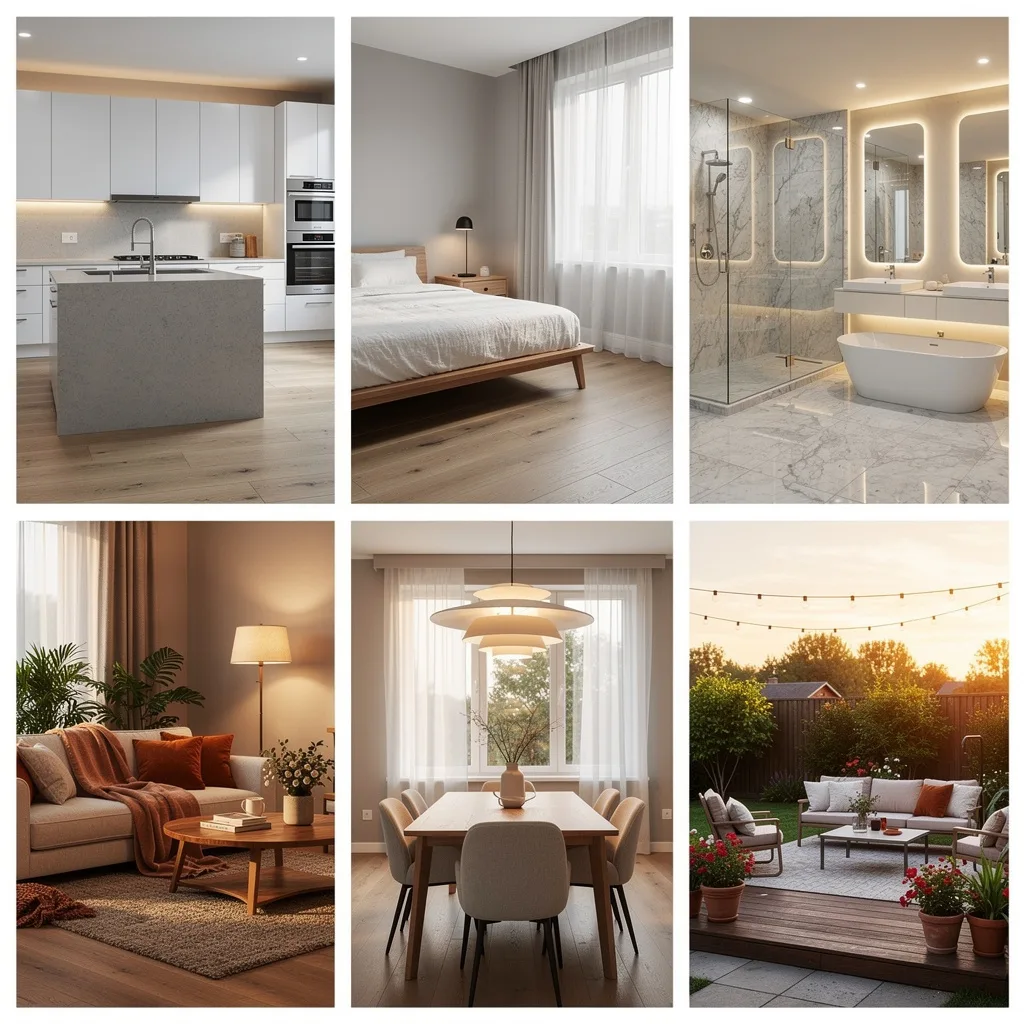
What Can Deqor AI Do?
Deqor AI is a comprehensive AI design agent that goes far beyond simple filters or style transfers. It is built to understand the structure of every space it sees - interiors and exteriors alike - and apply photorealistic transformations that look like they were done by a professional designer, stager, or contractor.
Whether you are a real estate agent looking to virtually stage an empty listing, a homeowner deciding between paint colors for the living room, an interior designer pitching concepts to clients, or a contractor showing a renovation preview to win a bid - Deqor delivers results in seconds, not days.
With 228+ built-in transformations organized into 10 categories, you can transform literally any aspect of any space: swap furniture, change wall colors, replace flooring, stage empty rooms, design pools, add landscaping, preview kitchen remodels, convert daytime photos to twilight shots, remove clutter, and so much more. Every transformation produces photorealistic, HD or 4K results that are ready to share, print, or use in listings.
Complete Transformation Directory
Browse all 228+ transformations organized by category. Use the search to find exactly what you need.
How It Works - Three Simple Steps
No design skills required. No software to learn. Just upload, pick, and download.
Upload any photo
Take a photo of any room, exterior, backyard, kitchen, bathroom - any space at all. A phone photo is perfect. The AI agent analyzes the image and understands the structure, layout, furniture, lighting, and materials automatically.
Pick a transformation
Browse 228+ built-in transformations organized in 10 categories, or let the AI suggest the best options based on what it sees. You can also type what you want in plain language using our chat feature.
Get photorealistic results
In about 30 seconds, the AI generates a photorealistic transformation of your space. Download in HD or 4K, compare before and after, share with clients, or try another transformation on the same photo.
Built for Everyone Who Works with Spaces
Whether you are selling a home, designing an interior, planning a renovation, or simply imagining what your space could look like - Deqor AI was built for you.
Real Estate Agents
Virtual staging, twilight shots, sky replacement, and decluttering help you sell faster and get more listings. Present every property in its best light - without hiring a photographer or stager.
Homeowners
Planning a renovation? See it before you build it. Try wall colors, flooring, kitchen remodels, bathroom upgrades, and landscaping on your actual home photos - so you can make confident decisions without costly mistakes.
Interior Designers
Show clients exactly what their space could look like in any style. From mood boards to final concepts, generate photorealistic renders in seconds instead of hours in 3D software.
Architects & Contractors
Present renovation and remodeling visualizations that win bids. Show before-and-after concepts for kitchens, bathrooms, exteriors, and more - your clients will see your vision immediately.
Property Managers
Refresh listing photos without touching the property. Virtual staging, lighting fixes, and smart cleanup make vacant units look move-in ready in minutes.
Photographers
Enhance your real estate portfolio with sky replacement, twilight conversion, HDR enhancement, and item removal. Deliver more to your clients without more time on site.
What Each Category Covers
A closer look at each of the 10 transformation categories available inside the Deqor AI Design Studio.
Staging & Furnishing
30 transformationsThe Staging & Furnishing category is one of the most popular in Deqor. It includes 30 transformations focused on virtual staging, furniture placement, and room styling. Whether you need to stage an empty room for a listing, add a specific piece of furniture like a sofa or dining table, or declutter a space to make it look clean and inviting - this category has you covered. Real estate agents use it daily to prepare listings, while homeowners use it to experiment with layouts before buying furniture.
Exterior Enhancement
35 transformationsExterior Enhancement covers 35 transformations designed to improve curb appeal and outdoor spaces. The most popular are sky replacement (turn overcast skies into blue perfection), twilight conversion (create dramatic dusk shots from daytime photos), and landscaping enhancement. But it also includes specific upgrades like adding a pergola, fire pit, outdoor kitchen, stone veneer, new garage door, or even roof visualization. If it's outside, this category transforms it.
Interior Enhancement
40 transformationsWith 40 transformations, Interior Enhancement is the largest category. It covers every surface, fixture, and detail inside a room: wall colors, flooring, countertops, backsplash, lighting (pendant, chandelier, recessed, sconces, floor lamps), window treatments, crown molding, wainscoting, accent walls, wallpaper, mirrors, plants, ceiling design, and much more. This is the category you reach for when you want to change materials, finishes, or the overall feel of a room without moving furniture.
Bathroom
20 transformationsBathroom transformations are some of the most requested, which is why we dedicated an entire category to them. These 20 transformations cover everything from vanity and toilet upgrades to shower-to-tub conversions, tile visualization, frameless glass enclosures, heated towel racks, freestanding bathtubs, and double vanity installations. Whether you're renovating a small guest bath or a full master bathroom, you can see the result before breaking a single tile.
Kitchen
18 transformationsThe Kitchen category includes 18 dedicated transformations for the most important room in the house. Visualize a complete kitchen layout change, add a kitchen island, upgrade to new countertops, install a tile backsplash, add a range hood, swap cabinet styles, install under-cabinet lighting, add a wine fridge, create a breakfast nook, or convert to an open-concept layout. Homeowners and contractors both use this category heavily during remodel planning.
Water Features
15 transformationsWater Features is a premium category with 15 transformations focused on pools, spas, and water elements. Design an inground pool, add a hot tub, create a pool deck, add water features like fountains and waterfalls, design pool landscaping, add pool lighting, install a pool fence, or visualize a complete outdoor oasis. Whether you're building new or upgrading an existing pool area, this category makes the vision crystal clear.
Renovation Visualization
20 transformationsRenovation Visualization includes 20 transformations for major remodeling projects. Preview a complete kitchen remodel, bathroom renovation, basement finishing, attic conversion, room addition, garage conversion, open-concept conversion (remove walls), and more. This is the category contractors and designers use to win bids - show clients what the finished renovation will look like before construction begins.
Room-Specific Styles
20 transformationsRoom-Specific Styles provides 20 targeted transformations for specialized rooms. Design a nursery, set up a home gym, create a home theater, build a wine cellar, design a craft room, set up a music studio, create a pet-friendly space, or convert a room into a specific function. Each transformation understands the unique requirements of the target room type.
Marketing & Listing
15 transformationsThe Marketing & Listing category includes 15 transformations specifically for real estate professionals. HDR photo enhancement, lens correction, color grading, vertical straightening, brightness and exposure fixes, watermark removal, and professional photo editing - all optimized to make listing photos look their absolute best. These are the quick wins that can make a listing go from "meh" to "must-see."
Smart Fixes
15 transformationsSmart Fixes is the catch-all category with 15 transformations for quick corrections and clean-ups. Remove unwanted items, fix reflections, remove power lines, clean up construction mess, remove date stamps, fix color casts, and more. These are the small but powerful touches that take a photo from raw to professional in seconds.
Why 228+ Built-In Transformations Matter
Most AI design tools give you a handful of generic options: "redesign this room" or "change the style." That's it. They leave you guessing what's possible and limit your creativity to a few broad categories.
Deqor is different. With 228+ specific, purpose-built transformations, every use case has been carefully designed and optimized for the best possible result. When you select "Add Kitchen Island", the AI knows exactly what a kitchen island should look like, where it should go, and how it should relate to the existing countertops, flooring, and cabinetry. When you choose "Twilight Conversion", it doesn't just darken the photo - it creates realistic sky gradients, warm window glows, and professional real estate lighting.
This specificity is what makes Deqor's results photorealistic instead of generic. Each transformation is a specialized prompt engineered by designers and trained on thousands of real examples. The result: you get professional-quality design visualization without hiring a designer, stager, or 3D renderer.
Always Adding More
The Deqor AI agent is constantly improving. New transformations, styles, and capabilities are added regularly based on user feedback and industry trends. Currently at 228+ and growing. Have an idea for a transformation? We'd love to hear it.
Ready to Transform Your Space?
Join 2,487+ happy users who have redesigned their homes with Deqor AI.