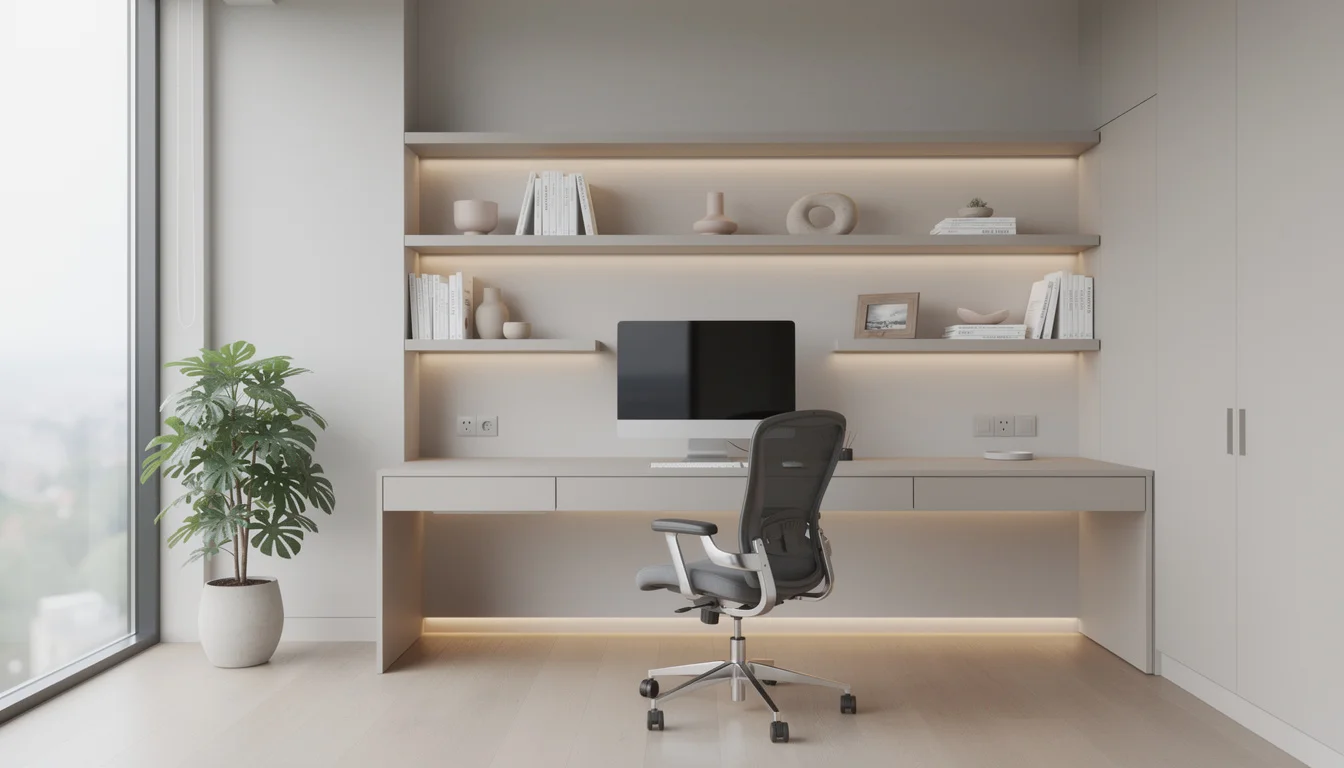
Why Home Office Design Matters
Your workspace directly impacts your cognitive performance, creativity, and even your physical health. Research from the Cornell University Human Factors Lab shows that office environment factors - lighting, temperature, noise, and ergonomics - account for a 5 - 15% variation in hourly productivity. Over a full work year, that's the difference between 1,800 and 2,070 productive hours.
The psychology of workspace design is well-documented. A study published in the Journal of Environmental Psychology found that employees in well-designed offices reported 33% higher wellbeing and 32% greater productivity compared to those in poorly designed spaces. For remote workers, this effect is amplified because you don't have the social energy of colleagues to compensate for a suboptimal environment.
Beyond productivity, a well-designed home office creates psychological boundaries between "work mode" and "home mode." Without these boundaries, remote workers experience higher rates of burnout. Having a dedicated, thoughtfully designed workspace signals to your brain when it's time to focus and when it's time to disconnect - a distinction that's essential for long-term sustainable remote work.
The home office also impacts how you're perceived on video calls. In a survey by Zoom and Qualtrics, 83% of professionals said they notice their colleagues' backgrounds during video calls, and 49% said a messy or unappealing background negatively impacts their perception of that person's professionalism. Your home office is now a part of your professional image.
Ergonomic Essentials
Ergonomics is the foundation of any productive home office. Poor ergonomics leads to back pain, neck strain, carpal tunnel syndrome, and eye fatigue - issues that affect 65% of remote workers according to the American Chiropractic Association. The good news: proper ergonomic setup doesn't require expensive furniture; it requires correct positioning.
The Ergonomic Desk Setup
Chair Investment Tiers
Your chair is the single most important purchase for a home office. Here's what to expect at each price tier:
Basic ergonomic chairs with adjustable height and lumbar support. Brands: HON Ignition, Amazon Basics.
Full adjustability (seat depth, armrests, tilt tension). Brands: Autonomous ErgoChair, Branch Ergonomic.
Advanced ergonomics, premium materials, 10+ year warranty. Brands: Steelcase Leap, Herman Miller Aeron.
Small Space Solutions
Not everyone has a spare room for a dedicated office. In fact, most remote workers operate from a corner of the bedroom, a nook in the living room, or even a closet conversion. The key to small-space office design is vertical thinking, multi-functionality, and visual separation.
The "cloffice" (closet office) has become a legitimate design category, with Pinterest searches for the term increasing 150% since 2023. A standard 2x5 foot closet, with shelving removed, fits a 48-inch desk, floating shelves above, and task lighting - creating a complete workspace that closes behind doors when you're off the clock. The visual separation this provides is psychologically powerful for maintaining work-life boundaries.
Wall-mounted desks and fold-down work surfaces are another excellent solution, taking up zero floor space when not in use. Modern designs feature hydraulic soft-close mechanisms and cable management systems that keep the wall clean when the desk is stowed. Pair this with a wall-mounted monitor arm and you have a full workstation in less than 4 square feet of wall space.
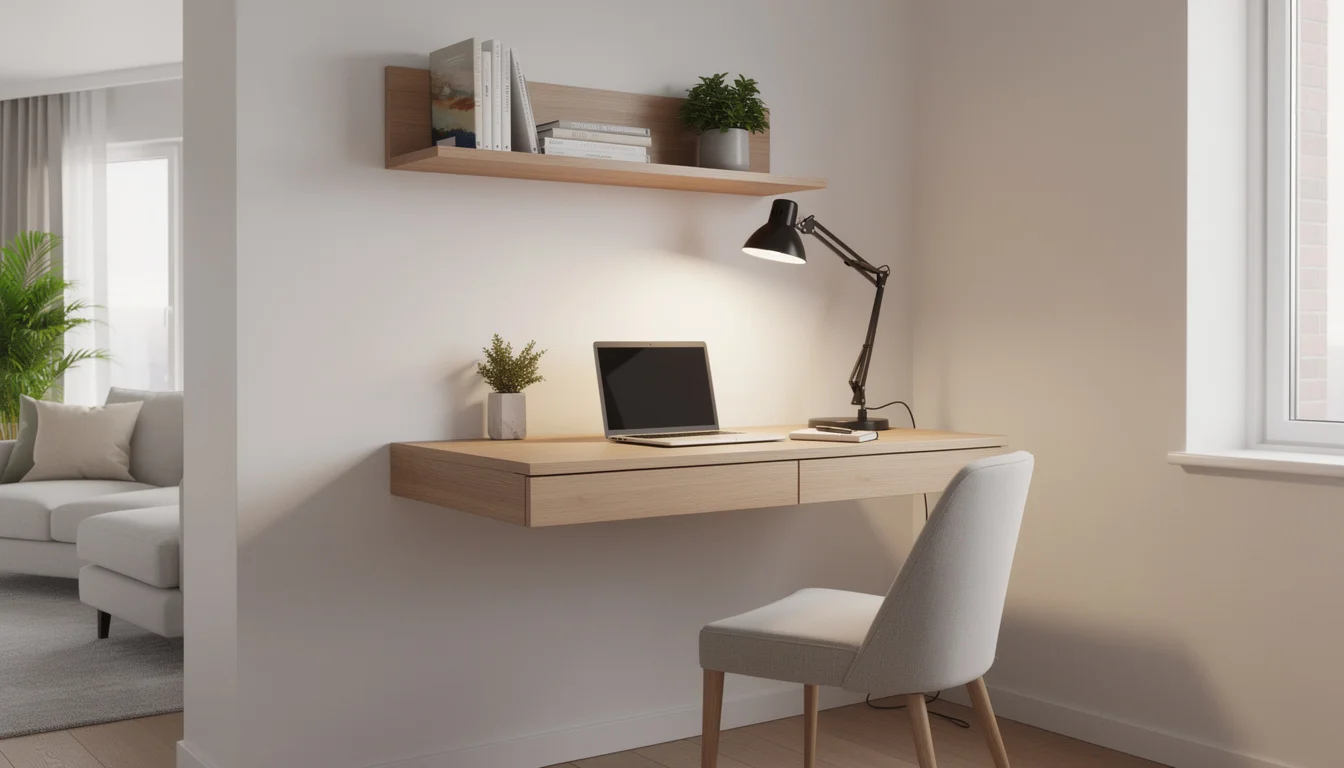
5 Small Space Office Ideas
Closet Conversion
Remove closet doors (or replace with barn doors), install a desk-height shelf, add a task light and floating shelves above.
Under-Stair Nook
The space under a staircase provides a natural enclosure. Custom-fit a desk, add built-in shelving along the slope.
Window Desk
Install a floating desk beneath a window for natural light. The view reduces eye strain and the light boosts mood.
Room Divider Office
Use a bookshelf or screen to section off a corner of a living room. The divider doubles as storage.
Murphy Desk
A wall-mounted fold-down desk that stows flat against the wall. Perfect for bedrooms or studios where space is shared.
Lighting for Productivity
Lighting is arguably the most underappreciated factor in home office design. Research from the American Society of Interior Designers ranks lighting as the #1 environmental factor affecting productivity. Poor lighting causes eye strain, headaches, and fatigue - which most people attribute to screen time when it's actually their room lighting.
The ideal home office lighting uses three layers. First, natural light - position your desk perpendicular to a window (not facing it, which causes glare, and not with your back to it, which creates screen reflections). Second, ambient overhead lighting at 3500 - 4000K color temperature (cool white, which promotes alertness). Third, a quality task lamp for focused work, particularly important for evenings.
For video calls, front-facing light is essential. A desk lamp or ring light positioned behind your monitor fills your face evenly and eliminates the shadowy, unflattering look of overhead-only lighting. Many professionals now install LED strip lights behind their monitors for bias lighting - reducing eye strain by lowering the contrast between the bright screen and dark surroundings.
Storage & Organization
A cluttered desk is a cluttered mind - and research supports this. A Princeton University Neuroscience Institute study found that visual clutter reduces the brain's ability to focus and process information. For home offices, where the workspace often shares space with personal life, organization isn't optional - it's a productivity requirement.
The most effective approach is "everything off the desk." Your desk surface should hold only what you're actively using: monitor, keyboard, mouse, and perhaps a notebook. Everything else goes into drawers, floating shelves, or closed cabinets. Cable management (clips, trays, or a cable raceway) is essential for a clean look and clear mind.
Floating shelves are the home office hero - they provide display and storage without consuming floor space. Install them at 12-inch intervals above your desk for books, small plants, and decorative objects that personalize the space without creating clutter. A single pegboard or wall organizer can hold office supplies, headphones, and cables in an accessible but tidy arrangement.
Home Office Style Guide
Your home office should reflect your personal style while supporting focus. Here are the most popular home office design styles in 2026 and what makes each effective:
Modern Minimalist
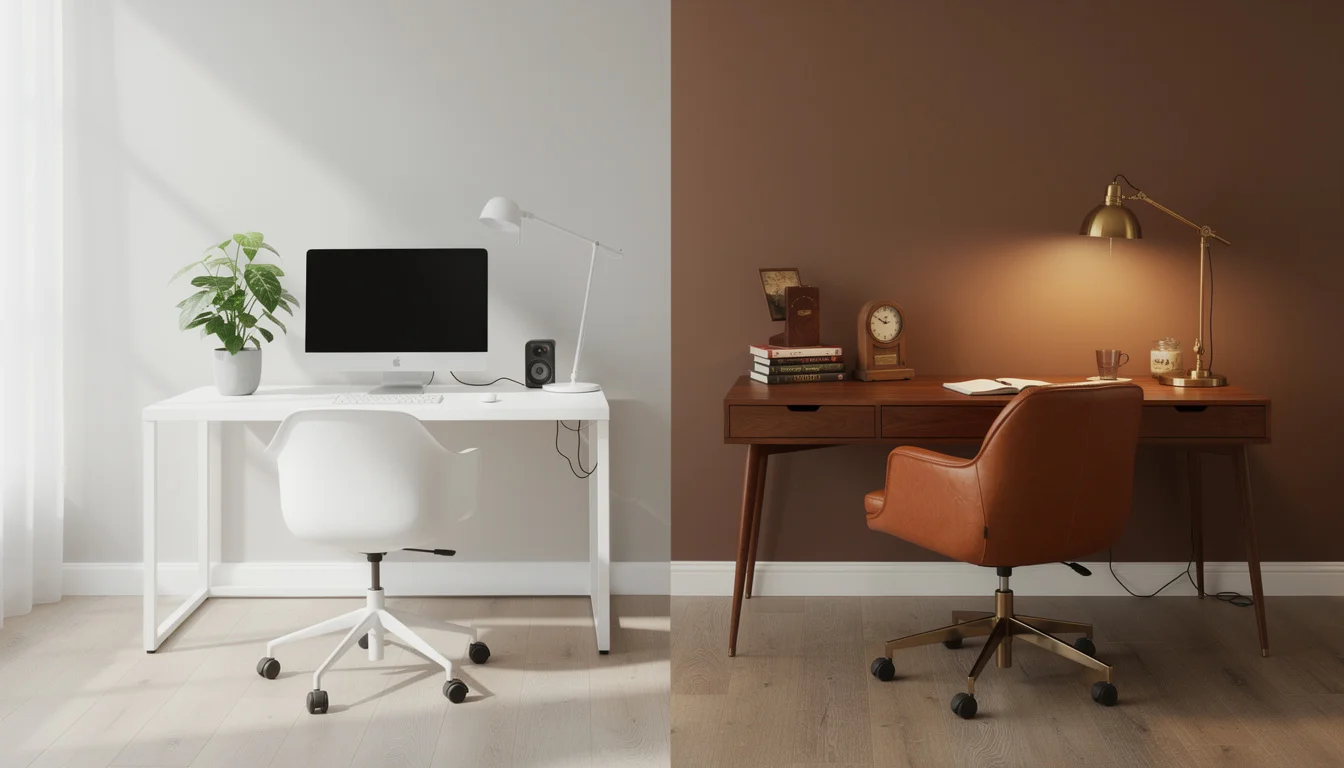
White or light gray walls, clean-lined desk, hidden storage, single statement plant, no visible cables. The most popular style for remote workers. It minimizes distractions and photographs beautifully on video calls.
Best for: Focus-intensive work, small spaces, video call professionals
Warm Mid-Century Modern
Walnut or oak desk, leather or fabric task chair, brass accents, warm wood shelving, vintage-inspired lamp. Creates a sophisticated, inviting workspace with personality.
Best for: Creative professionals, those who work long hours and want warmth
Scandinavian Cozy
Light wood desk, white walls, wool throw on chair, natural textures, plants, soft ambient lighting. The hygge approach to work - productive but never sterile.
Best for: Writers, consultants, anyone wanting a calm atmosphere
Industrial Loft
Metal-and-wood desk, exposed shelving, Edison bulb lighting, dark accent wall, raw textures. Bold and energizing.
Best for: Designers, engineers, those in creative industries
Traditional Library
Dark wood desk, built-in bookshelves, green banker's lamp, leather chair, rich colors. Classic and authoritative - the "executive" home office.
Best for: Lawyers, executives, finance professionals, book lovers
Biophilic Oasis
Living wall or multiple large plants, natural materials throughout, wood desk, stone accents, full-spectrum lighting. Brings nature indoors for reduced stress and increased creativity.
Best for: Wellness-focused workers, anyone with a green thumb
Tech Integration
The modern home office is a technology hub, and thoughtful tech integration is what separates a professional setup from a makeshift desk. Cable management is the foundation - a cable tray or raceway mounted under the desk keeps power strips, chargers, and cables invisible. This alone transforms the visual cleanliness of any workspace.
Monitor arms are the second most impactful tech upgrade. They free up desk space, allow perfect height and angle adjustment, and make it easy to switch between sitting and standing positions. For dual-monitor setups, a dual arm keeps both screens aligned and adjustable. Budget $30 - $50 for a quality single arm or $60 - $100 for a dual.
Smart home integration is growing in home offices. Smart plugs that schedule devices on and off, smart lights that shift color temperature throughout the day (cool in the morning, warm in the evening), and smart speakers for music and timers all contribute to a seamless work experience. A USB-C docking station that connects your laptop to monitors, keyboard, mouse, and ethernet with a single cable is perhaps the most satisfying tech investment - one cable to connect, one cable to disconnect at the end of the day.
Dual-Purpose Rooms
Most home offices share space with another function - a guest bedroom, living room, dining area, or even a walk-in closet. The key to making dual-purpose rooms work is creating clear visual and physical boundaries between zones, even within a single room.
The office-guest room is the most common combination. A Murphy bed or high-quality sofa bed reclaims the floor space during work hours. Position the desk facing away from the bed area so it's not visible during work. A room divider, curtain, or bookshelf placed between zones creates psychological separation.
For living room offices, the "defined nook" approach works best. Use a rug to anchor the office zone, a desk that complements the room's style (so it looks intentional rather than like an afterthought), and a task lamp that doubles as a design element. When the workday ends, closing the laptop, putting away papers, and turning off the task lamp signals a clear transition from work to home mode.
AI design tools like Deqor are particularly useful for dual-purpose room planning. Upload a photo of your bedroom or living room and describe what you want: "Add a home office nook in the corner with a mid-century desk, floating shelves, and a divider screen." The AI generates a photorealistic visualization showing exactly how the office zone would integrate with the existing space.
Color Psychology for Home Offices
Color has a measurable impact on mood, energy, and cognitive performance. The University of Texas research on color in workspaces found that white offices, while popular, actually increased error rates compared to offices with strategic color use. The right palette depends on your work type.
Promotes concentration and mental clarity. Ideal for analytical work - accounting, programming, writing. Use as an accent wall or in decor.
Reduces eye strain and creates a balanced, calm atmosphere. The most versatile office color. Works for all work types.
Stimulates creativity and optimism. Best used as an accent - a chair, artwork, or accessories. Too much yellow creates anxiety.
Clean and bright without the sterility of pure white. The safest neutral base. Pairs well with any accent color.
Creates a sophisticated, cocoon-like focus environment. Use on an accent wall behind your monitor for reduced screen glare.
Explore how different wall colors transform your office using Deqor's AI - upload a photo and request specific colors to see photorealistic results. Check our complete color guide for more inspiration.
Using AI to Design Your Home Office
AI design tools have transformed how people plan home offices. Instead of buying furniture and hoping it works together, you can visualize your complete office design - furniture placement, wall colors, lighting, and decor - before purchasing anything. This approach eliminates expensive mistakes and ensures every piece works together cohesively.
Here's how to use Deqor's Smart Upload for home office design: Take a photo of your current space (even if it's empty or currently a different room). Upload it and let the AI agent analyze the room dimensions, natural light, and existing elements. Then describe your ideal office in the Chat interface: "Transform this into a modern minimalist home office with a floating walnut desk, ergonomic chair, floating shelves, and warm lighting." In 10 seconds, you'll see a photorealistic visualization.
The power is in iteration. Don't like the first result? Ask for changes: "Make the desk white instead of walnut." "Add more plants." "Try a Scandinavian style instead." Each adjustment takes seconds and costs $1 - 2, compared to the time and cost of physically rearranging furniture or returning purchases. Many people generate 5 - 10 variations before settling on their direction.
Budget Breakdown
A functional, attractive home office can be set up at almost any budget. Here's what to expect at three tiers, plus where to prioritize your spending for maximum impact:
| Item | Budget | Mid-Range | Premium |
|---|---|---|---|
| Desk | $100 - $200 | $300 - $600 | $800 - $2,000 |
| Chair | $150 - $300 | $400 - $800 | $900 - $1,500 |
| Monitor | $150 - $250 | $300 - $500 | $500 - $1,200 |
| Lighting | $30 - $50 | $80 - $150 | $200 - $500 |
| Storage | $50 - $100 | $150 - $300 | $400 - $800 |
| Decor & Plants | $30 - $50 | $100 - $200 | $300 - $600 |
| Tech (dock, cables) | $50 - $100 | $150 - $300 | $300 - $500 |
| Total | $560 - $1,050 | $1,480 - $2,850 | $3,400 - $7,100 |
Frequently Asked Questions
What is the most important thing in a home office?
An ergonomic chair. You spend 8+ hours sitting daily, and a quality chair prevents back pain, neck strain, and fatigue. Invest $400 - $800 in a chair with adjustable lumbar support, seat depth, and armrests. Everything else can be upgraded gradually.
How do I set up a home office in a small space?
Use vertical space: floating desk, wall-mounted shelves, and monitor arm. A closet conversion (cloffice) creates a dedicated office that closes behind doors. A window desk provides natural light in minimal space. Even a 4x4 foot area is enough for a complete setup.
What color should I paint my home office?
Green and blue tones promote focus and reduce eye strain. Warm white or cream is the safest neutral base. Avoid pure white (increases errors and feels sterile) and bright red (increases anxiety). A deep navy accent wall behind your monitor reduces screen glare and looks sophisticated on video calls.
How much does a home office setup cost?
A functional setup costs $500 - $1,000 (basic desk, quality chair, decent monitor, lighting). A professional mid-range setup runs $1,500 - $3,000. Premium setups with high-end furniture and tech range $3,000 - $7,000+. The chair should always be the biggest single investment.
Can AI help me design my home office?
Yes. AI design tools like Deqor let you upload a photo of any room and see photorealistic home office designs in 10 seconds. You can explore different styles, furniture arrangements, color schemes, and layouts before buying anything - for $1 - 2 per visualization.
What is the best desk position for a home office?
Position your desk perpendicular to windows for natural light without screen glare. Face the desk toward the room (not a wall) if possible for a more open feel and better video call backgrounds. If facing a wall is unavoidable, hang interesting art or shelving for visual depth.
How do I improve my video call background?
Position your desk so the camera faces an intentional background - a bookshelf, artwork, or clean wall. Add a plant for depth. Ensure front-facing light (desk lamp or ring light behind monitor). Avoid windows behind you (creates silhouette) and messy areas.
Is a standing desk worth it?
Research is mixed. The key benefit is the ability to alternate between sitting and standing. A sit-stand desk ($300 - $800) lets you switch throughout the day, reducing the health risks of prolonged sitting. The best approach is 50/50 - sit for focused work, stand for calls and less demanding tasks.
What plants are best for a home office?
Pothos, snake plants, and ZZ plants thrive in office conditions (moderate light, occasional watering). They also improve air quality and reduce stress. A single large plant (fiddle leaf fig or monstera) makes more visual impact than several small ones.
How do I separate work and life in a home office?
Create physical boundaries (dedicated space, even a nook), visual boundaries (closing doors, curtains, or turning off the desk lamp), and ritual boundaries (a consistent start/end routine). A well-designed, dedicated workspace is the most effective way to maintain work-life separation while working from home.
Written by Deqor Editorial
The Deqor editorial team covers workspace design, remote work trends, and AI-powered home improvement guides.
Last updated: March 26, 2026 · Reviewed for accuracy by the Deqor product team