A Home Office That Makes You Want to Sit Down and Work.
Upload your home office or spare room photo and visualize a productive, stylish workspace - desk layout, storage, lighting, and style - photorealistically in seconds.
40%+
of workers now work from home
+15%
productivity gain in well-designed offices
30s
to visualize your new workspace
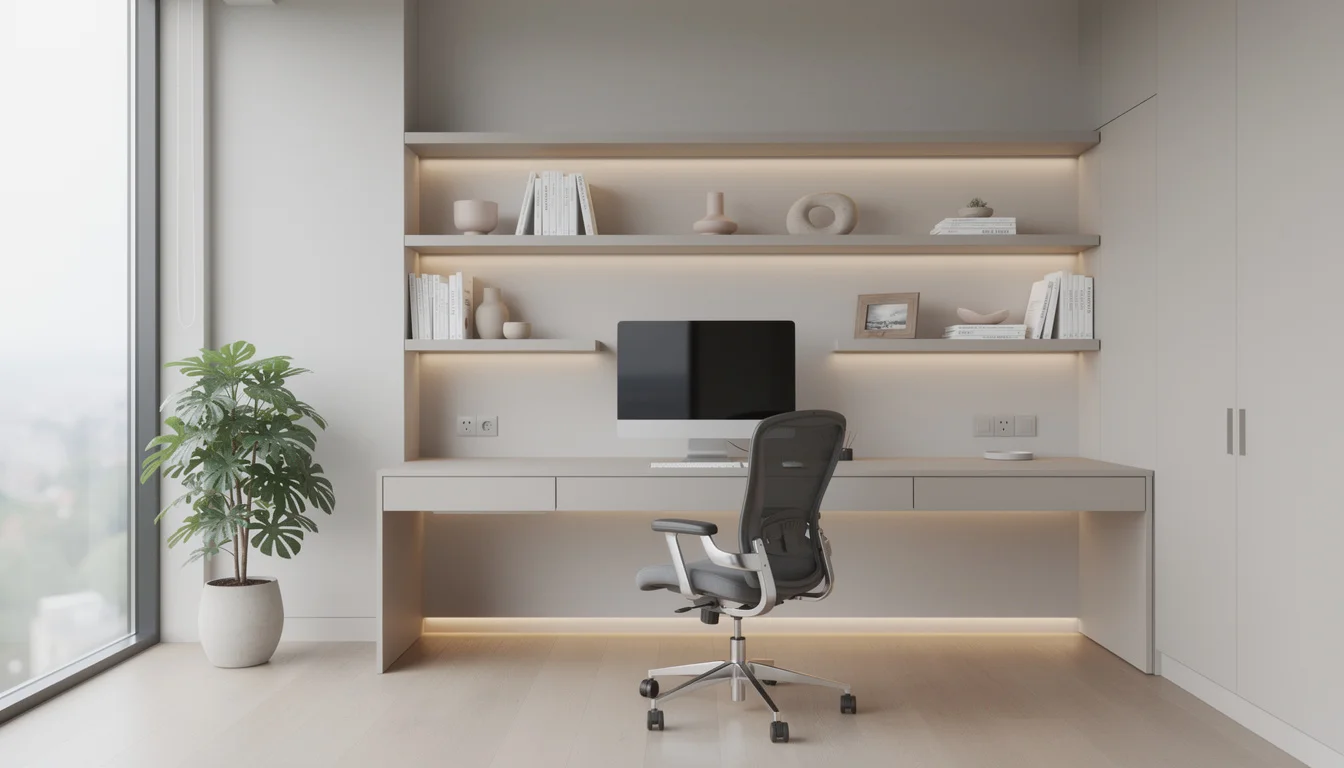
About This Room
Why Office Design Matters
The home office has permanently shifted from a nice-to-have to an essential room in the modern home. As of 2025, over 40% of the workforce works from home at least part of the time - and that number continues to grow. A well-designed home office does three things: it helps you mentally transition into work mode, it provides the ergonomic setup your body needs for long hours, and it looks professional enough for video calls. A spare bedroom with a table and a kitchen chair does none of these things.
What You Can Visualize
Every Element, Before You Commit
Layout Guide
Office Layout Options Explained
The layout you choose shapes how the space feels and functions every single day.
Desk Against Wall
The most space-efficient home office layout. Desk faces the wall, freeing the center of the room. Works in any size room and pairs well with shelving mounted above the desk for vertical storage.
L-Shaped Setup
Two desk surfaces meeting at a corner provide maximum work surface and allow one side for the computer and one for physical paperwork. The most productive layout for people who work across multiple tasks simultaneously.
Desk Facing the Room
Desk positioned in the center facing into the room rather than against a wall. Creates a more commanding, executive feel and frames the background better for video calls. Requires a tidy room behind the chair.
Built-In Desk Nook
A desk alcove built into a recessed wall or under a staircase. Makes use of otherwise dead space and feels more dedicated than a freestanding desk. Popular in bedrooms where the office is a secondary function.
Library Office
Floor-to-ceiling bookshelves lining the walls with a central desk. Creates the most visually impressive home office backdrop for video calls and works beautifully in a dedicated room with good natural light.
Style Directions
Popular Styles for Your Office
Click any style to explore it in depth, then visualize it in your space.
Modern
Clean desk, cable-free, monochromatic palette
Explore styleMinimalist
Only what you need, nothing you don't
Explore styleIndustrial
Metal shelving, brick, Edison bulb lighting
Explore styleScandinavian
Light wood, white walls, functional calm
Explore styleTraditional
Rich wood desk, leather chair, book-lined walls
Explore styleExpert Advice
Office Design Tips That Actually Work
Natural light on the side, not behind the screen
A window behind your monitor creates a glare problem. A window to your left or right (ideally left if you are right-handed) provides natural light without screen reflection and is the ideal setup for both work quality and video call appearance.
Eye level is monitor level
The top of your monitor should be at or just below eye level when you are sitting with a straight back. Most people work with their monitor too low, causing neck strain. A monitor arm is the cheapest investment you can make in your long-term health.
Treat the video call background deliberately
Your home office is seen by every colleague and client who calls you. A styled bookshelf, a plant, a piece of artwork, or an accent wall all communicate professionalism. A pile of boxes and a bare wall do the opposite.
Zone the lighting separately from the rest of the house
Task lighting directly above or beside the desk prevents eye strain during screen work. A warmer ambient light in the rest of the room makes long sessions less fatiguing than overhead fluorescent alternatives.
Sound matters as much as looks
Hard surfaces - timber floors, plaster walls, no soft furnishings - create echo that makes calls sound unprofessional. A rug, curtains, and a bookshelf full of books absorb sound significantly. Acoustic panels that double as art are available and work extremely well.
Common Mistakes
Office Design Mistakes to Avoid
These are the decisions homeowners most commonly regret - and they are all avoidable.
Choosing style over ergonomics
A beautiful chair that is not adjustable to your height, a desk at the wrong height, a monitor on the desktop rather than on an arm - these small mistakes compound over hours of work into back pain and fatigue. Get the ergonomics right first, then make it look good.
Insufficient power points
Most rooms have two power points on each wall - nowhere near enough for a modern home office. Before moving in, plan for at least 6-8 accessible outlets, USB charging built-in, and consider a floor outlet in the center of the room if your desk will be freestanding.
No dedicated work zone psychology
A home office that doubles as a guest bedroom or storage room makes it psychologically harder to mentally switch into work mode. Dedicate the space entirely to work if possible - or at minimum give the desk area a clear visual identity separate from the rest of the room.
Ignoring cable management
Visible cables on a desk make every video call look unprofessional and create visual clutter that subconsciously increases stress. Cable trays under the desk, velcro ties, and a desk grommet for routing cables through the surface are inexpensive and transformative.
Common Questions
Office Design FAQ
How do I set up a home office in a small space?
A floating wall-mounted desk takes up no floor space when not in use. A fold-down desk in a wardrobe creates a dedicated workspace that disappears when work is done. Even a 24-inch deep shelf at desk height with a monitor arm and a good chair is a functional home office in under 4 square feet.
What desk size do I need for a home office?
A minimum of 48 inches wide (120cm) provides enough surface for a monitor, keyboard, and documents without feeling cramped. 60 inches (150cm) is comfortable for most setups. An L-shaped desk with a return gives the most versatility if the room allows it.
Does a home office add value to my home?
Since 2020, a dedicated, well-designed home office has become one of the most valued features in residential property. A properly set up home office - not just a desk in a corner - can meaningfully increase buyer interest, particularly for homes marketed to professionals.
What color should I paint a home office?
For focus and productivity, mid-tone blues and greens are shown to support concentration. For creative work, warm neutrals and terracotta support energy. Avoid stark white under fluorescent lights - it increases eye fatigue. Visualize color options with Deqor AI before committing.
Explore Other Room Types
See Your Office Redesigned in 30 Seconds.
Upload a photo of your current space and get a photorealistic redesign. No design experience needed.